

A store may look ready for smart traffic analytics: cameras are mounted, the network is connected, and dashboards show numbers. Yet a successful demonstration does not necessarily indicate reliable performance after deployment.
Entrance layout, lighting, peak traffic, groups, employees, and data workflows can all affect results. A structured validation process gives retailers a clearer basis for deciding whether a selected people counting system suits the site.
- Define the Business Question First
Validation should start with the business decisions the data must support—such as, measuring total footfall, comparing stores, calculating walk-in rates, analyzing dwell time, or evaluating campaign performance. The test plan must specify which metrics matter, where counting occurs, and how often results are reviewed.
Clear objectives also improve result interpretation. A counter performing well at a quiet entrance may underperform during peak hours or when staff frequently cross the monitored area. Define these operating conditions before the pilot begins—so the team can assess technical performance against real store needs.
- Establish a Reliable Ground Truth
Before testing, create a reference count for the same observation period. Staff can manually record entries and exits and compare those observations with system results. Include normal trading hours and busy periods because different traffic densities can expose different counting behaviors.
Record conditions during each test. Note the number of entrances, door direction, lighting changes, queues, customer groups, shopping carts, and employee movement. These observations provide context when the recorded figures differ and make follow-up adjustments more focused.
- Check Sensor Placement and Coverage
A people counting system depends on a suitable monitored zone. During validation, confirm that the sensor has a clear view of the intended counting line and that the entrance does not contain unnecessary blind spots. Review mounting position, viewing direction, entrance width, and nearby fixtures before finalizing the installation.
The pilot should also cover different movement patterns. Shoppers may pause near the doorway, turn around, change direction, or pass through with carts. Test these situations separately so the team can understand how the selected device interprets movement at the entrance.
- Test the Features You Will Use
Do not treat counting accuracy as the sole test criterion. If the project requires walk-in and walk-out counts, dwell time, heatmap analysis, or demographic information, validate the relevant functions before rollout. The analytics layer matters because managers ultimately use reports rather than raw sensor output.
OVOPARK‘s solution delivers four core capabilities: accurate people counting, real-time data, AI-powered analytics, and comprehensive reporting.
Its devices support footfall measurement, dwell-time analysis, heatmaps, and demographic analysis—select and validate the functions that align with your retail goals during the pilot.
- Verify the Hardware Against the Site
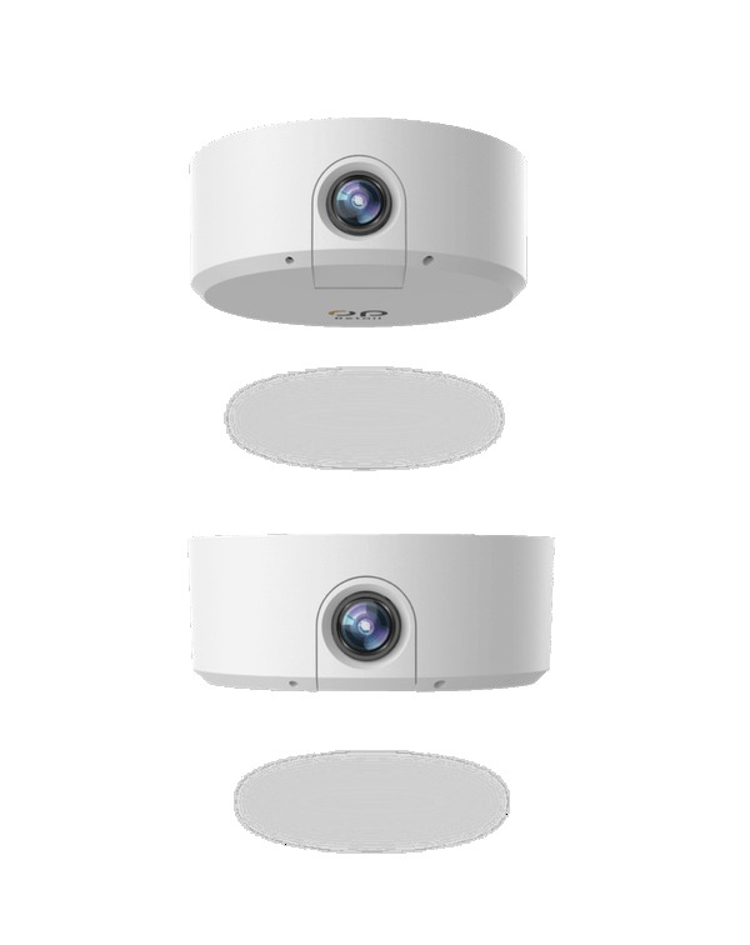
Device selection must match the environment and analysis needs. OVOPARK offers binocular, passersby, outdoor, and AI-powered people counters. Its AI counter uses built-in video-analysis AI for real-time entry/exit counting—treating groups as single entries, eliminating duplicates, and identifying gender and age.
These capabilities matter during validation, as tests must reflect real-world use. For example, a retailer needing demographic reports must verify consistent data generation at the target entrance.
The same applies to duplicate handling and group counting. Also confirm the hardware fits the physical entrance and supports the intended analytics workflow.
- Validate Data Consistency and Integration
A deployment can also encounter operational issues after the sensor itself has been tested. Compare dashboard totals with manual observations and, where relevant, point-of-sale (POS) records. Check for missing intervals, duplicate records, delayed updates, and differences between individual locations and the central reporting view.
For projects using existing network infrastructure, review connectivity and power requirements as part of the pilot. Power over Ethernet (PoE), where supported by the selected equipment, can simplify installation, but the site’s switches, cabling, and network configuration still need to be checked before wider deployment.
- Set a Clear Go/No-Go Decision
Finish the pilot with written acceptance criteria. Define an acceptable counting deviation, required functions, reporting expectations, network reliability, and relevant privacy or operational requirements. Document the results by location and test condition rather than combining all observations into one figure.
A useful acceptance record should also identify the test date, traffic level, device model, installation position, and software configuration. Keeping these details together creates a traceable record for later troubleshooting and gives project managers a common reference when several stores are involved.
If a site does not meet the agreed criteria, review the installation position, configuration, device selection, or workflow and repeat the relevant tests. For retailers evaluating an AI people counter, this process creates a consistent basis for deciding whether the system is ready for wider use.
Turning Validation Into a Deployment Standard
Full deployment can be treated as the final stage of validation rather than the starting point. A repeatable pilot framework gives retail teams a common method for checking entrances, traffic conditions, analytics, hardware fit, and reporting before expanding to additional locations.
For multi-store operators, standardizing the test process also makes results easier to compare across sites. Once the required conditions and acceptance criteria are documented, future installations can follow the same checklist, creating a more consistent foundation for people counting data and store-performance analysis.
